
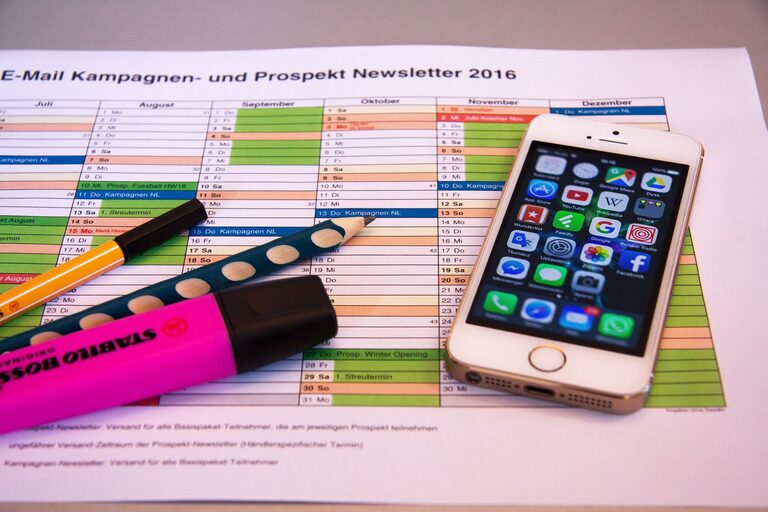
In today’s world, our digital lives can quickly become chaotic. From overflowing inboxes to countless files scattered across devices, digital clutter can cause stress and reduce productivity. Taking time to declutter your digital space not only makes it easier to find what you need but also helps you focus better and feel more in control.
This guide will walk you through practical steps to declutter your digital life and maintain a neat, organized digital environment.
Why Declutter Your Digital Life?
Digital clutter can affect your mental clarity and work efficiency. When your devices are disorganized, it’s harder to locate files or emails, leading to wasted time and frustration. Regularly decluttering helps:
– Improve productivity by reducing distractions
– Free up storage space on your devices
– Enhance digital security by managing accounts and passwords
– Create a calmer, more focused digital environment
Step 1: Organize Your Files and Folders
One of the biggest sources of digital clutter is disorganized files.
Tips for File Organization
– Create a clear folder structure: Group files by categories such as work, personal, projects, or by year. Use descriptive folder names.
– Use consistent naming conventions: Include dates or versions in file names to easily identify contents (e.g., “Budget_2024_Q1”).
– Delete duplicates and unnecessary files: Get rid of old drafts, duplicates, or files you no longer need.
– Back up important files: Use cloud storage or an external hard drive for important documents to prevent loss.
Tools to Help
– File management apps like Finder on Mac or File Explorer on Windows
– Duplicate file finders such as CCleaner or Duplicate File Finder
Step 2: Clean Up Your Email Inbox
Email can quickly become overwhelming with hundreds or thousands of unread messages.
Strategies for Email Decluttering
– Unsubscribe from unwanted newsletters: Use tools like Unroll.Me or simply unsubscribe manually from emails you no longer read.
– Create folders or labels: Sort incoming mail into folders such as “Work,” “Receipts,” or “Newsletters” for easier access.
– Use filters and rules: Automate sorting so certain emails go directly to specific folders.
– Delete or archive old emails: Keep only relevant emails in your inbox and archive those you might need later.
Maintain Regular Email Habits
Set aside a few minutes daily or weekly to review and clean your inbox. It helps prevent buildup and reduces stress.
Step 3: Tidy Up Your Desktop and Mobile Devices
Your desktop and home screen can become cluttered with icons, shortcuts, or apps.
Desktop Organization
– Remove unnecessary icons and shortcuts.
– Arrange icons into logical groups or folders.
– Use tools like Stacks (Mac) to group files automatically on your desktop.
Mobile Device Organization
– Delete unused apps.
– Group apps into folders based on function (e.g., Social, Productivity).
– Clear app caches regularly to free storage.
Step 4: Manage Your Passwords and Accounts
Having too many accounts and weak passwords can harm your digital security.
Password Management Tips
– Use a password manager to store and generate strong passwords.
– Delete accounts you no longer use.
– Regularly update passwords and enable two-factor authentication (2FA) where possible.
Review Account Activity
Check for suspicious activity and keep personal information updated.
Step 5: Streamline Your Social Media
Social media platforms can contribute to digital clutter and distraction.
Social Media Decluttering
– Unfollow or mute accounts that don’t add value to your feed.
– Review privacy settings and remove outdated personal information.
– Limit the number of platforms you actively use.
– Schedule specific times for social media to avoid constant checking.
Step 6: Backup and Update Regularly
An organized digital life requires regular maintenance.
– Schedule regular backups to cloud services or external drives.
– Keep your operating system and apps updated to improve performance and security.
– Set monthly or quarterly reminders to review and declutter your digital space.
Conclusion
Decluttering your digital life might feel overwhelming at first, but breaking it down into simple steps makes it manageable. Start by organizing your files, cleaning up your inbox, and tidying your devices. Don’t forget to take care of your passwords and social media accounts, too. With a cleaner digital environment, you’ll enjoy less stress and better productivity every day.
Remember, digital decluttering is an ongoing process—make it a habit, and your technology will serve you better in the long run!