
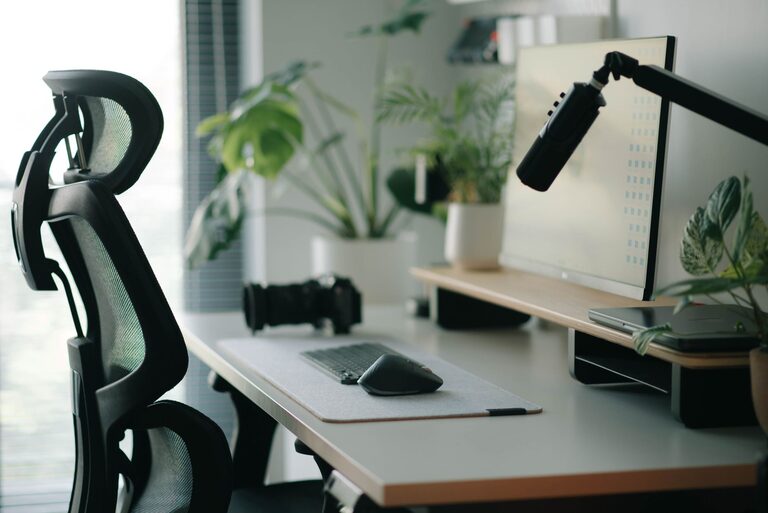
Creating a desk setup that promotes both focus and comfort is essential for anyone who spends significant time working at a desk, whether at home or in an office. A well-organized, ergonomic workspace can improve concentration, reduce physical strain, and keep you motivated throughout the day. In this post, we’ll explore practical tips to help you design a desk setup that supports your productivity and well-being.
Why Your Desk Setup Matters
Your desk setup impacts how efficiently and comfortably you work. An uncomfortable chair, poor lighting, or cluttered surface can lead to distractions, fatigue, and even pain. Conversely, a thoughtfully arranged workspace encourages good posture, reduces stress, and makes it easier to stay focused.
Key Principles for a Comfortable and Focused Desk Setup
Before diving into specific tips, keep these guiding principles in mind:
– Ergonomics: Your setup should support your body’s natural alignment to avoid strain.
– Organization: A tidy workspace minimizes distractions and helps you find essentials quickly.
– Personalization: Add elements that make your space inviting without cluttering it.
– Lighting: Proper lighting reduces eye strain and improves alertness.
Choosing the Right Desk and Chair
Desk Height and Size
– Opt for a desk with a height that allows your forearms to rest parallel to the floor when typing.
– Ensure the desk surface is large enough to accommodate your computer, accessories, and some space for writing or other tasks.
– Consider adjustable desks if you want the flexibility to alternate between sitting and standing.
Ergonomic Chair
– Select a chair that supports your lower back with adjustable height and backrest.
– Your feet should rest flat on the floor or a footrest.
– Look for chairs with breathable material and comfortable padding to enhance comfort during long periods.
Monitor and Screen Placement
– Position your monitor directly in front of you, about an arm’s length away.
– The top of the screen should be at or slightly below eye level to avoid neck strain.
– Use monitor stands or adjustable arms if necessary to achieve the correct height and distance.
Keyboard and Mouse Setup
– Place your keyboard and mouse close enough to prevent overreaching.
– Keep your wrists in a neutral position; consider using a wrist rest if needed.
– Wireless devices can reduce cable clutter but ensure they have reliable connectivity.
Organizing Your Desk for Maximum Focus
Declutter Regularly
– Remove unnecessary items from your desk to keep the surface clean.
– Use drawers or storage containers to store supplies you don’t use often.
Use Storage Solutions
– Desk organizers, shelves, or filing cabinets can help keep papers and tools in order.
– Label storage compartments for quick access.
Manage Cables
– Use cable clips, sleeves, or boxes to keep cords tidy and avoid tangling.
– A clean cable setup prevents distractions and accidents.
Lighting Tips for Comfort and Productivity
– Maximize natural light by positioning your desk near a window, but avoid glare on your screen.
– Use a desk lamp with adjustable brightness and color temperature to reduce eye strain.
– Avoid harsh overhead lights; soft, indirect lighting is preferable.
Adding Personal Touches Without Overcrowding
– Incorporate plants to improve air quality and add a relaxing vibe.
– Display a few meaningful items like photos or artwork to boost mood.
– Use calming colors or décor that inspire focus but keep it minimal to prevent distractions.
Incorporating Break-Friendly Elements
– Keep a water bottle nearby to stay hydrated.
– Have a small timer or app handy to remind you to take regular breaks.
– Include space for stretching or light exercises to reduce stiffness.
Maintaining Good Posture Throughout the Day
– Sit with your back straight and shoulders relaxed.
– Keep your feet flat on the floor.
– Change your position regularly to avoid stiffness and fatigue.
Conclusion
A desk setup designed with focus and comfort in mind can make your workday more enjoyable and productive. By paying attention to ergonomics, organization, lighting, and personal touches, you create an environment that supports your best work. Take time to adjust your workspace and try out these tips—it’s an investment in your health and efficiency.
Set up your ideal desk today and experience the difference a thoughtful workspace can make!